
Introduction & PAC Pattern
What is WakaPAC?
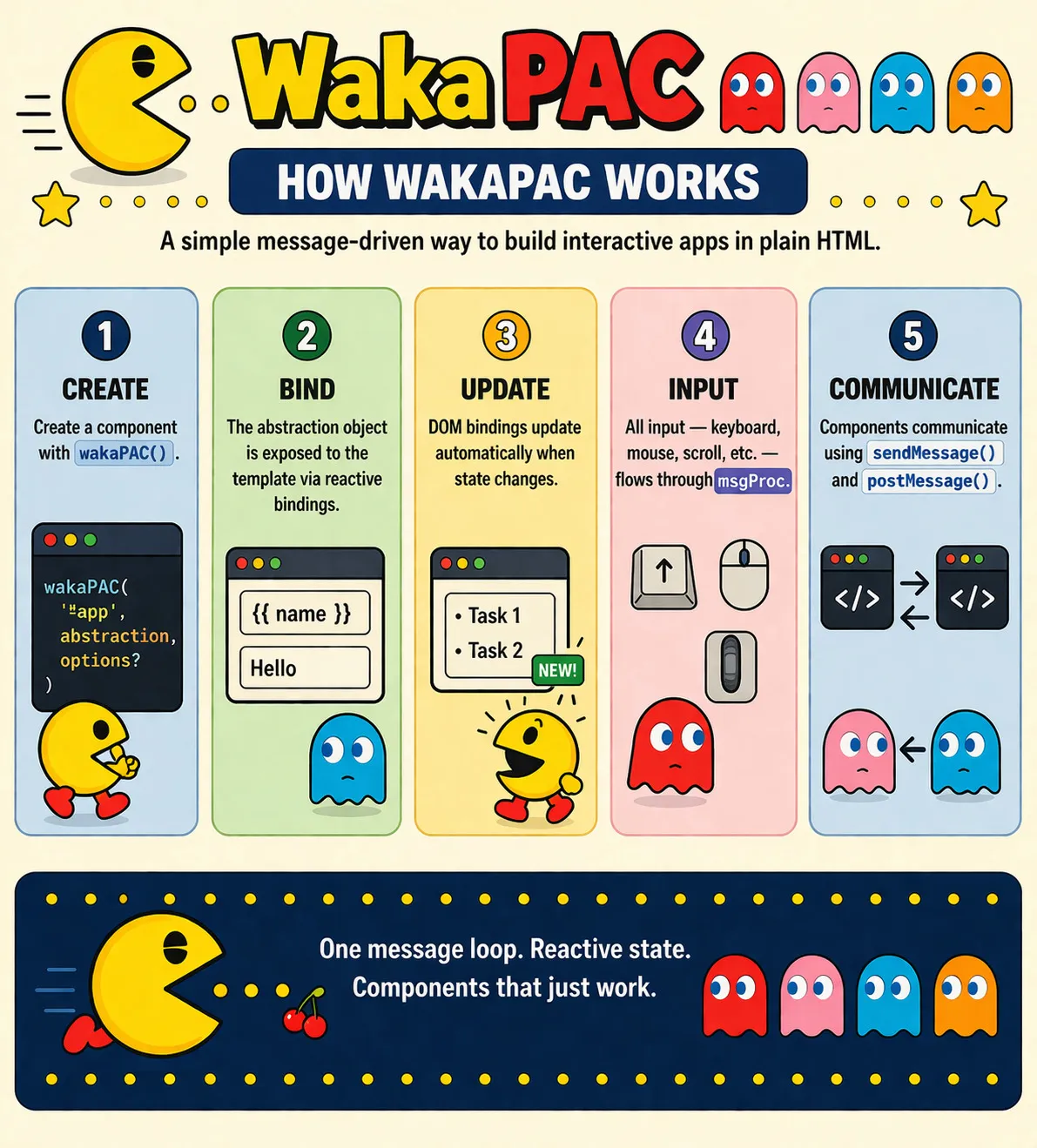
WakaPAC is a reactive UI library in a single JavaScript file that provides data binding, component coordination, and automatic DOM updates.
About the name
The name WakaPAC combines Waka (inspired by Pac-Man) with PAC, the Presentation-Abstraction-Control architecture pattern it implements.
Quick Example
Here's a complete interactive application:
<!DOCTYPE html>
<html>
<head>
<script src="https://cdn.jsdelivr.net/gh/quellabs/wakapac@main/wakapac.min.js"></script>
</head>
<body>
<div id="app">
<h1>Hello {{ name }}!</h1>
<input data-pac-bind="value: name" placeholder="Enter your name">
<p>Character count: {{ name.length }}</p>
</div>
<script>
wakaPAC('#app', {
name: 'World'
});
</script>
</body>
</html>
That's it. Type in the input and watch the heading and character count update automatically. No compilation, no virtual DOM, no JSX - just reactive HTML.
Key Features
Reactive Data Binding
Two-way synchronization between application state and the DOM. Updating your data automatically updates the UI, and user interaction updates state without manual event wiring.
<input data-pac-bind="value: email">
<p>You entered: {{ email }}</p>
Declarative Templates
Declare UI behavior directly in HTML using bindings and expressions. Templates describe how data maps to the DOM without imperative DOM manipulation.
<button data-pac-bind="click: save, enable: !saving">
{{ saving ? 'Saving...' : 'Save' }}
</button>
<ul data-pac-bind="foreach: items" data-pac-item="item">
<li>{{ item.name }}: {{ item.price }}</li>
</ul>
Computed Properties
Define derived values that stay in sync automatically. Computed properties recalculate whenever their dependencies change, without manual bookkeeping.
wakaPAC('#app', {
firstName: 'John',
lastName: 'Doe',
computed: {
fullName() {
return `${this.firstName} ${this.lastName}`;
}
}
});
Component Hierarchy
Coordinate parent and child components through built-in messaging. Components can exchange events and data without manual wiring or shared global state.
// Parent component
wakaPAC('#parent', {
receiveFromChild(type, data) {
console.log('Child sent:', type, data);
}
});
// Child component - automatically detects parent
wakaPAC('#child', {
sendUpdate() {
this.notifyParent('update', { value: 42 });
}
});
Multiple Element Binding
Instantiate reusable components across multiple DOM elements. Each matched element becomes an independent reactive instance with its own state.
<div class="counter">Count: {{count}} <button data-pac-bind="click: increment">+</button></div>
<script>
wakaPAC('.counter', { count: 0, increment() { this.count++; } });
</script>
Browser & Container Properties
Access browser and container state as reactive data. Scroll position, visibility, dimensions, and connectivity are exposed as properties that update automatically without manual listeners.
<button data-pac-bind="visible: browserScrollY > 300, click: scrollToTop">
↑ Back to Top
</button>
<div data-pac-bind="visible: !browserOnline" class="offline-banner">
You're offline - changes will sync when reconnected
</div>
Expression Language
Use expressive inline logic directly in templates. Bindings support conditional logic, arithmetic, and common data operations without external helpers. Expressions are evaluated through a dedicated parser for predictable execution.
<p>Total: ${{ total }}</p>
<span>{{ count > 0 ? count + ' items' : 'Empty' }}</span>
<div data-pac-bind="class: { active: isSelected, disabled: !enabled }">
Desktop Subsystem
Handle interaction through a unified message-driven event system. Browser input and system events flow through a single interface for consistent processing.
wakaPAC('#app', {
msgProc(event) {
switch (event.message) {
case wakaPAC.MSG_LBUTTONDOWN:
// wParam contains modifier flags: MK_SHIFT, MK_CONTROL, etc.
// lParam contains mouse coordinates
const x = wakaPAC.LOWORD(event.lParam);
const y = wakaPAC.HIWORD(event.lParam);
console.log(`Left click at ${x},${y}`);
break;
case wakaPAC.MSG_KEYDOWN:
// wParam is the virtual key code
if (event.wParam === wakaPAC.VK_RETURN) {
console.log('Enter pressed');
}
// Check modifiers in lParam
if (event.lParam & wakaPAC.KM_CONTROL) {
console.log('Ctrl was held');
}
break;
}
}
});
Complete feature set:
- Message constants: MSG_LBUTTONDOWN, MSG_KEYDOWN, MSG_MOUSEMOVE, MSG_TIMER, MSG_USER + all Win32 message types
- Virtual key codes: VK_RETURN, VK_ESCAPE, VK_F1-F12, VK_A-Z + complete Win32 VK_* constants
- Modifier flags: MK_SHIFT, MK_CONTROL, MK_ALT, KM_SHIFT, KM_CONTROL, KM_ALT
- Message functions: sendMessage(), postMessage() for inter-component communication
- Hit testing: ptInElement() equivalent to Win32's PtInRect
What Makes WakaPAC Different?
| Developer Task | WakaPAC | Vue / React / Alpine |
|---|---|---|
| Start using in an existing page | Single script tag — no build step | Vue/React typically use build tooling; Alpine runs directly |
| Bind form inputs to state | Built-in two-way bindings via attributes | Vue/Alpine built-in; React requires explicit state handlers |
| Handle user input and system events | Central message pipeline inspired by desktop event models | Component-scoped DOM/event handlers |
| Communicate between components | Automatic parent/child messaging without manual wiring | Props/events or shared state patterns |
| Template syntax | Mustache + declarative attributes | Vue/Alpine templates; React JSX |
| Mental model | Reactive container + message-driven execution | Component tree with framework conventions |
Understanding the PAC Architecture
WakaPAC is built on the Presentation-Abstraction-Control (PAC) pattern, which cleanly separates three concerns:
1. Presentation (Your HTML)
What the user sees and interacts with - your templates and DOM elements.
2. Abstraction (Your Data)
What your application knows - your data model, computed properties, and methods.
3. Control (WakaPAC)
What keeps them in sync - WakaPAC's reactive layer that handles DOM updates, event routing, and dependency tracking.
The key difference from MVC: In PAC, the Presentation and Abstraction layers never communicate directly - all interaction goes through the Control layer. This means:
- Automatic reactivity: You never manually update the DOM - change your data and the Control layer updates the presentation
- Predictable flow: Data changes always flow through the same path, making debugging easier
- Clean separation: Your HTML templates and JavaScript data models remain completely independent
As a developer, you only work with Presentation (HTML) and Abstraction (JavaScript). The Control layer is WakaPAC itself, working behind the scenes.
When to Use WakaPAC
WakaPAC is ideal for:
- Rapid prototypes and MVPs that benefit from built-in reactivity without a build pipeline
- Content-driven sites that include interactive UI elements such as dashboards, admin panels, or forms
- Progressive enhancement of server-rendered pages with reactive behavior
- Projects that prioritize simplicity, portability, and low operational overhead
- Workflows centered on plain HTML and JavaScript with minimal tooling
- Applications that benefit from a centralized, message-driven interaction model
Consider alternatives if you need:
- Optimization strategies tailored for very large SPA architectures
- A large ecosystem of pre-built UI components and plugins
- Deep TypeScript-first tooling and framework-level type integration
- Built-in SSR or SSG pipelines tightly coupled to a framework runtime
File Size
WakaPAC is a single JavaScript file with zero dependencies. The entire framework - reactive system, component hierarchy, expression parser, browser properties - is in one file you can drop into any project.
File sizes:
- Source: ~339KB (with extensive comments)
- Minified: ~70KB
- Minified + Gzipped: ~18KB
Comparison (all sizes minified + gzipped):
- WakaPAC: ~18KB - complete framework in one file
- Alpine.js: ~15KB - minimal feature set
- Vue 3: ~33KB - runtime only — excludes optional routing/state libraries
- React + ReactDOM: ~40KB - runtime only — excludes optional routing/state libraries
Performance
WakaPAC optimizes updates through:
- Expression caching: Parsed expressions are cached to avoid repeated parsing overhead
- Value comparison: Expressions are re-evaluated, but DOM updates only happen when values actually change
- Scoped updates: Only elements in the component's binding map are processed, not the entire DOM tree
This simple approach is efficient because DOM manipulation is the expensive operation - evaluation and comparison are fast.