
DOM Hydration
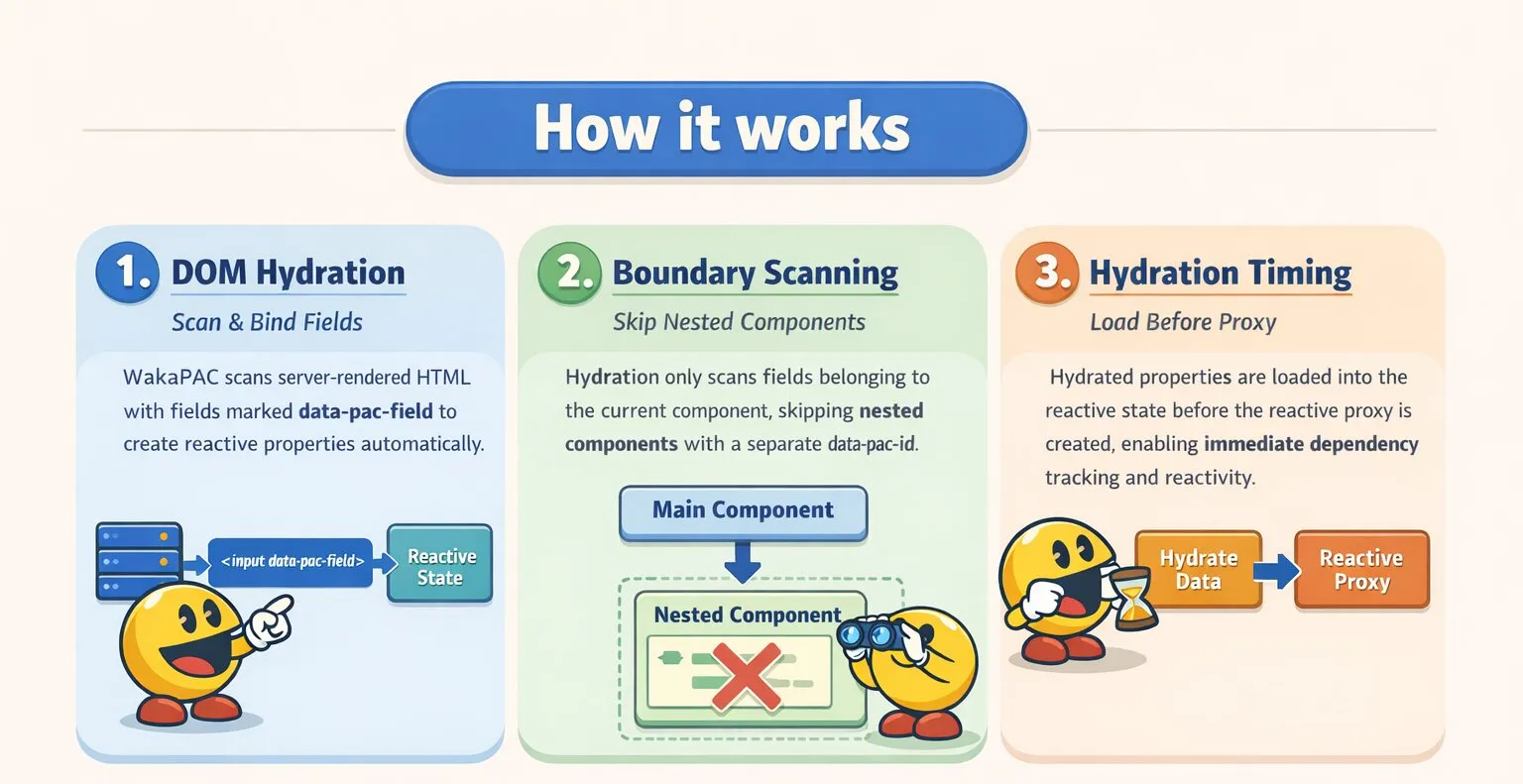
DOM Hydration lets WakaPAC initialize a component's reactive state directly from server-rendered HTML, without manually declaring properties in the abstraction. Fields marked with data-pac-field are scanned at startup and automatically become reactive properties.
On this page:
Understanding DOM Hydration
Normally, properties must be declared in the abstraction before WakaPAC can bind to them:
wakaPAC('#app', {
    title: '',
    slug: '',
    status: 'draft'
});
With hydration enabled, WakaPAC reads the initial values from the DOM instead. The server renders the HTML with the correct values, and WakaPAC picks them up automatically:
<div data-pac-id="post-form">
    <input name="title" data-pac-field value="My First Post">
    <input name="slug" data-pac-field value="my-first-post">
    <select name="status" data-pac-field>
        <option value="draft" selected>Draft</option>
        <option value="published">Published</option>
    </select>
</div>

<script>
    wakaPAC('post-form', {
        save() {
            console.log(this.title, this.slug, this.status);
        }
    }, { hydrate: true });
</script>
The properties title, slug, and status are created automatically and are fully reactive — bindings, computed properties, and watchers all work as normal.
Enabling Hydration
Pass hydrate: true in the options object as the third argument to wakaPAC():
wakaPAC('my-component', {
    // abstraction methods
}, { hydrate: true });
Marking Fields
data-pac-field
Add data-pac-field to any form element that should be hydrated. The property name is taken from the element's name attribute. WakaPAC reads each field type appropriately:
- text, textarea, select, hidden — hydrated as a string via
el.value - checkbox — hydrated as a boolean from
el.checked, notel.value - radio groups — the checked button's value is used; defaults to an empty string if none are selected
- number, range — hydrated as a number; empty fields default to an empty string rather than
NaN - file — excluded from hydration; file inputs cannot be meaningfully hydrated
Elements without a name attribute are silently ignored during the scan.
<div data-pac-id="my-form">
    <input name="title" data-pac-field value="Hello World">
    <input type="checkbox" name="active" data-pac-field checked>
    <input type="number" name="priority" data-pac-field value="3">

    <input type="radio" name="theme" data-pac-field value="light" checked>
    <input type="radio" name="theme" data-pac-field value="dark">
</div>

<script>
    wakaPAC('my-form', {
        init() {
            console.log(this.title);    // "Hello World" (string)
            console.log(this.active);   // true (boolean)
            console.log(this.priority); // 3 (number)
            console.log(this.theme);    // "light" (string)
        }
    }, { hydrate: true });
</script>
Bracket Notation
Field names using bracket notation are automatically mapped to nested reactive properties:
<input name="configuration[theme]" data-pac-field value="dark">
<input name="configuration[language]" data-pac-field value="en">
wakaPAC('my-form', {
init() {
console.log(this.configuration.theme); // "dark"
console.log(this.configuration.language); // "en"
}
}, { hydrate: true });Deeper nesting is supported as well:
<input name="configuration[section][title]" data-pac-field value="Hello">Nested Components
Hydration only scans fields that directly belong to the current component. Fields inside a nested WakaPAC component (identified by their own data-pac-id) are skipped — they belong to that child component, not the parent:
<div data-pac-id="post-form">
    <input name="title" data-pac-field value="My Post">        <!-- hydrated -->

    <div data-pac-id="rich-editor">
        <input name="internal" data-pac-field value="...">     <!-- skipped -->
    </div>
</div>
Using Hydrated Properties
Two-Way Binding
Hydrated properties work with data-pac-bind just like manually declared ones:
<div data-pac-id="post-form">
    <input name="title" data-pac-field value="My First Post"
           data-pac-bind="value: title">

    <p>Preview: {{title}}</p>

    <button data-pac-bind="click: save">Save</button>
</div>

<script>
    wakaPAC('post-form', {
        save() {
            console.log(this.title, this.slug);
        }
    }, { hydrate: true });
</script>
Computed Properties
Computed properties can depend on hydrated fields:
<div data-pac-id="post-form">
    <input name="title" data-pac-field value="My First Post"
           data-pac-bind="value: title">
    <input name="slug" data-pac-field value=""
           data-pac-bind="value: slug">

    <p>Slug preview: {{autoSlug}}</p>
</div>

<script>
    wakaPAC('post-form', {
        computed: {
            autoSlug() {
                return this.title.toLowerCase().replace(/\s+/g, '-');
            }
        }
    }, { hydrate: true });
</script>
Server-Side State
Beyond field values, a server-rendered component often needs to provide additional state — such as dropdown options, lookup tables, or configuration — that is not tied to a specific form field. This can be passed via the data-pac-state attribute as a JSON object.
When hydrate: true is set, WakaPAC automatically reads data-pac-state and merges it into the component's initial state before the reactive proxy is created:
<div data-pac-id="my-form"
     data-pac-state='{"roles": [{"value": "admin", "label": "Admin"}, {"value": "editor", "label": "Editor"}]}'>
    <input name="username" data-pac-field value="alice">
    <select name="role" data-pac-field data-pac-bind="foreach: roles, value: role">
        <option data-pac-bind="value: item.value">{{item.label}}</option>
    </select>
</div>

<script>
    wakaPAC('my-form', {}, { hydrate: true });
</script>
The merged state follows this order of precedence:
- Properties declared in the abstraction object form the baseline
data-pac-stateis applied second, overwriting any abstraction property with the same namedata-pac-fieldvalues are applied last and take final precedence — scalar field values always override both the abstraction anddata-pac-state
data-pac-state is only read when hydrate: true is set. Without hydration, the attribute is ignored.
Property Aliasing
Sometimes two properties need to stay perfectly in sync — reading or writing either one should always affect the same underlying value. The data-pac-same-as attribute on a data-pac-field element creates an alias that redirects all reads and writes to a target property path.
<input name="email" data-pac-field value="test@example.com">
<input name="confirm_email" data-pac-field data-pac-same-as="email" value="test@example.com">
During hydration, WakaPAC detects data-pac-same-as and registers confirm_email as a getter/setter alias for email instead of importing its value as a separate property. The alias is two-way:
- Reading
confirm_emailreturns the current value ofemail - Writing
confirm_emailwrites through toemail, firing the normal reactive change event - Writing
emaildirectly is reflected whenconfirm_emailis read
wakaPAC('signup-form', {
    init() {
        this.email = 'new@example.com';
        console.log(this.confirm_email); // "new@example.com"

        this.confirm_email = 'other@example.com';
        console.log(this.email);         // "other@example.com"
    }
}, { hydrate: true });
Both properties can be used in data-pac-bind expressions and behave identically:
<input name="email" data-pac-field data-pac-bind="value: email">
<input name="confirm_email" data-pac-field data-pac-same-as="email" data-pac-bind="value: confirm_email">

<p>Current email: {{email}}</p>
<p>Confirmed:     {{confirm_email}}</p>
The target path supports dot notation for nested properties:
<input name="email" data-pac-field data-pac-same-as="form.email.value">This is used internally by Loom when WakaForm validation is enabled — fields with rules are aliased to their corresponding form.field.value path so WakaForm always validates the current typed value.
a → b → c) — always point directly to the real property.