msgProc: Overview
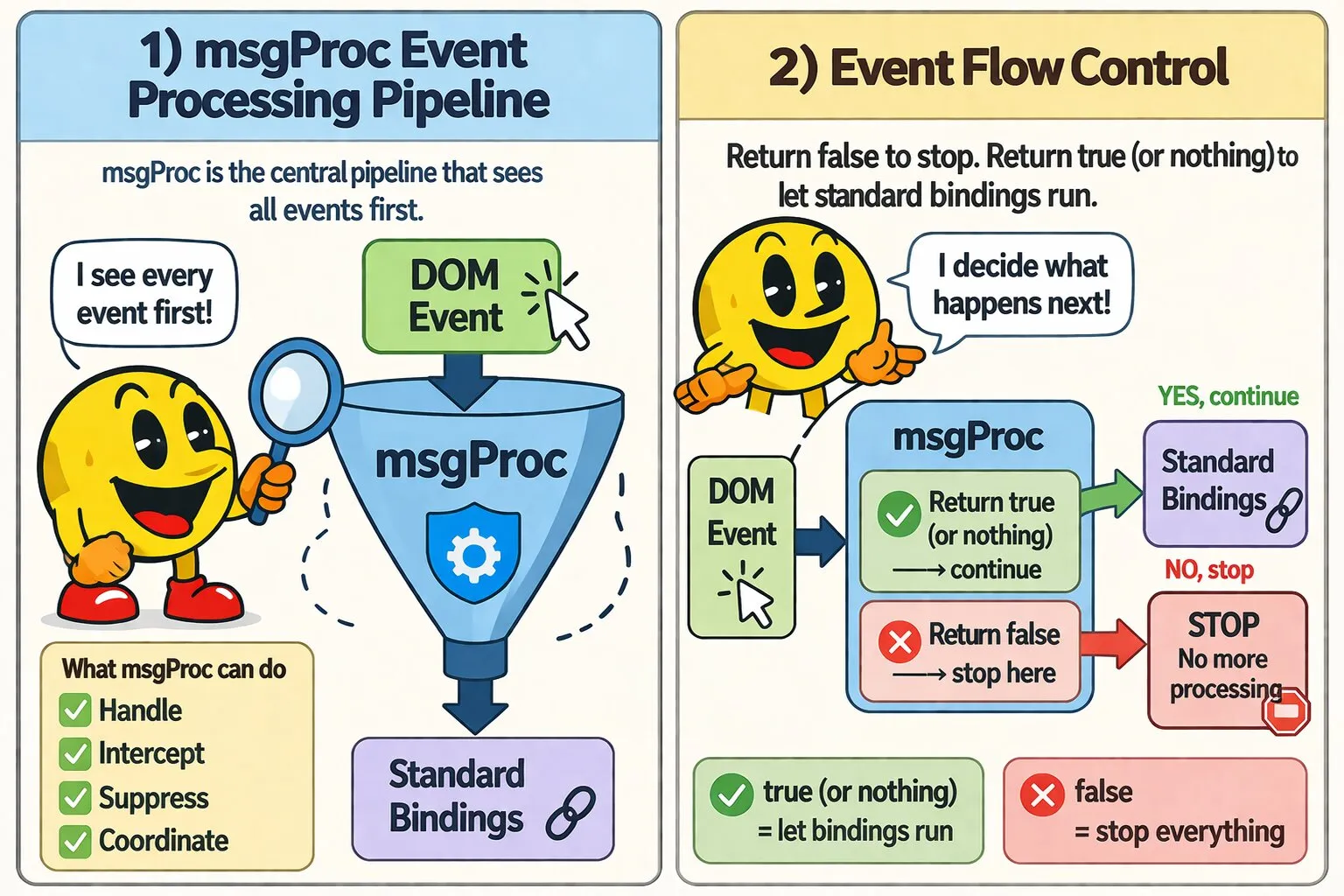
msgProc is WakaPAC's central event processing pipeline. It intercepts all events before standard bindings execute, giving you low-level control for keyboard shortcuts, drag operations, mouse capture, timers, and complex event coordination.
On this page:
Why Use msgProc?
While data-pac-bind handles straightforward event-to-handler wiring, msgProc is WakaPAC's central event processing pipeline — the equivalent of a Win32 window procedure. It intercepts all events before standard bindings execute, making it the natural home for:
- Intercept events globally: Handle Ctrl+S anywhere in your component
- Prevent default behavior: Block form submission for validation
- Track complex interactions: Implement drag-and-drop with mouse coordinates
- Capture mouse input: Continue tracking drag operations when cursor leaves container
- Coordinate multiple events: Handle mousedown + mousemove + mouseup sequences
- Access low-level event data: Get exact mouse coordinates or modifier keys
- Recognize mouse gestures: Implement browser-style gestures (drag right = forward, drag left = back)
Think of msgProc as a global event filter - it sees every event first and can either handle it or pass it through to standard bindings.
How msgProc Works
Event Flow
1. DOM event occurs (click, keypress, etc.)
   ↓
2. msgProc runs (if defined)
   ├─ Returns false? → Event handled, stop here
   └─ Returns true/undefined? → Continue processing
      ↓
3. Standard data-pac-bind handlers executefalse from msgProc to stop event processing. Return true (or nothing) to let standard bindings run.
When to Use msgProc vs Standard Bindings
Standard bindings are declarative: you attach a handler to a specific element and event. msgProc is procedural: a central handler that sees every event and can maintain state across them. The choice follows from that distinction:
| Use Standard Bindings When | Use msgProc When |
|---|---|
| The response is local — one element, one event, one action | The response is global — keyboard shortcuts, context menus, gestures |
| No coordination is needed between events | Multiple events form a sequence (mousedown → mousemove → mouseup) |
| You're reacting to an event | You need to intercept, validate, or suppress an event |
| The interaction is stateless | You need to track state across events (dragging, drawing, resizing) |
| Timing doesn't matter | You need recurring updates (clocks, polling, game loops) |
Event Detail Structure
Every msgProc event receives a CustomEvent with Win32-style message properties as top-level properties:
{
    type: 'pac:event',         // Always 'pac:event' for msgProc
    pacId: 'xyz'               // pacId of the container
    message: 0x0100,           // Message type constant
    wParam: 0x0001,            // Modifier keys and button states
    lParam: 0x00640032,        // Coordinates or other data
    target: HTMLElement,       // Element the event is addressed to
    realTarget: Node,          // Exact DOM node the event actually occurred on (can be a text node)
    originalEvent: Event,      // Original browser event object
    timestamp: 1640995200000,  // When event occurred (milliseconds)
    detail: {}                 // Event-specific additional data
};
Key Properties
| Property | Type | Description |
|---|---|---|
type |
string | Always 'pac:event' for msgProc events |
pacId |
string | The data-pac-id attribute value of the container the message is being dispatched to |
message |
number | Message type constant (e.g. MSG_KEYDOWN, MSG_MOUSEMOVE). See reference page for the full list |
wParam |
number | Context-specific data — modifier keys and button states for mouse events, virtual key code for keyboard events. See individual event pages for details |
lParam |
number | Context-specific data — packed mouse coordinates for mouse events, modifier key flags for keyboard events. See individual event pages for details |
target |
HTMLElement | The element the event is addressed to — normalized to an Element, never a raw text node. For many message types this is resolved to an owning control rather than the literal node the event occurred on. See Target Resolution below |
realTarget |
Node | The exact DOM node the underlying browser event actually occurred on, before any control resolution or capture fallback — this can be a text node if the click landed directly on bare text. Use this when you need to know precisely what was clicked (e.g. distinguishing which icon within a button) rather than which control owns it. Identical to target whenever no resolution or fallback applied |
originalEvent |
Event | The original browser event object — use this when you need access to the full browser Event API |
timestamp |
number | When the event occurred, in milliseconds (same epoch as Date.now()) |
detail |
object | Event-specific additional data. Contents vary by message type (e.g., text for MSG_INPUT, entries for MSG_SUBMIT). See individual message type documentation for specific properties |
Target Resolution
WakaPAC mirrors Win32's model of addressing input messages to controls (child windows) rather than to whatever literal element the browser happened to report. So for most mouse messages, target names the control that owns the interaction, not necessarily the exact DOM node the cursor was over.
What Counts as a Control
An element is a control if any of the following is true:
- It's a native form/link element:
INPUT,BUTTON,SELECT,TEXTAREA,A,LABEL,DETAILS,SUMMARY - It carries a
data-pac-controlattribute - It has a
tabindexattribute - It's
contenteditable - It carries a
data-pac-bindbinding of an interactive type:click,dblclick,contextmenu,copy,paste,submit,change,mouseenter, ormouseleave
A purely reactive binding — css:, text:, class:, value:, and the like — does not count. An icon bound only via data-pac-bind="css: ..." inside a click-bound button is transparent to this check, so a click on the icon still resolves to the button.
How the Walk Works
Resolution starts at the raw event target and walks up the DOM, stopping at the first control it finds. If the event lands on a decorative descendant of a control (e.g. an icon inside a button), target resolves up to the control rather than the literal element. If no control ancestor exists, target is the literal element the event occurred on — always normalized to an Element, never a raw text node. During mouse capture, if the event occurred outside the capturing container, target falls back to the capturing container itself.
Which Messages This Applies To
| Message(s) | target resolves to |
|---|---|
| MSG_LBUTTONDOWN, MSG_LBUTTONUP, MSG_LBUTTONDBLCLK, MSG_RBUTTONDOWN, MSG_RBUTTONUP, MSG_MBUTTONDOWN, MSG_MBUTTONUP, MSG_LCLICK, MSG_MCLICK, MSG_RCLICK, MSG_CONTEXTMENU, MSG_MOUSEMOVE, MSG_MOUSEWHEEL, MSG_DRAGENTER, MSG_DRAGLEAVE, MSG_DROP, MSG_GESTURE | The nearest control found by walking up from the raw event target (see above) |
| MSG_MOUSEENTER, MSG_MOUSELEAVE | Always the container itself, regardless of where within it the pointer entered or left |
| MSG_MOUSEENTER_DESCENDANT, MSG_MOUSELEAVE_DESCENDANT | The specific control being entered or left, using the same control definition above |
| MSG_DROPTARGET_ENTER, MSG_DROPTARGET_LEAVE | The specific data-pac-drop-target element being entered or left — not a control lookup |
realTarget always holds the exact DOM node the underlying browser event occurred on — a text node if the click landed directly on bare text — unaffected by any of this resolution.
Basic Message Handling Pattern
Use a switch statement on event.message for clean, efficient event handling:
msgProc(event) {
    switch(event.message) {
        case wakaPAC.MSG_KEYDOWN:
            if (event.wParam === wakaPAC.VK_S && (event.lParam & wakaPAC.KM_CONTROL)) {
                this.save();
                return false;
            }

            break;

        case wakaPAC.MSG_LBUTTONDOWN:
            const pos = wakaPAC.MAKEPOINTS(event.lParam);
            this.startDrag(pos.x, pos.y);
            return false;

        case wakaPAC.MSG_TIMER:
            if (event.wParam === this.clockTimer) {
                this.updateClock();
            }

            break;
    }
}
Configuration
Mouse Tracking Throttling
Mouse movement events are throttled to prevent performance issues. The default is 60 FPS (~16ms between events):
wakaPAC.mouseMoveThrottleFps = 120;  // Higher precision
wakaPAC.mouseMoveThrottleFps = 30;   // Battery saving
wakaPAC.mouseMoveThrottleFps = 0;    // No throttling

wakaPAC('#app', { /* ... */ });
Touch Event Support
Touch events are automatically mapped to mouse events. Your existing msgProc code works identically for both mouse and touch input:
event.originalEvent if needed.
Best Practices
- Return false early: As soon as you handle an event, return
falseto stop processing - Keep it fast: msgProc runs for EVERY event - avoid expensive operations
- Prefer standard bindings: Only use msgProc when you need low-level control or interception
- Use underscore prefix: Private state like
_draggingwon't trigger DOM updates - Use VK constants: Access VK codes via
wakaPAC.VK_*for clarity and maintainability - Check event types first: Use switch statements on
event.messagefor efficiency - Store timer IDs: Save timer IDs returned from
setTimer()to identify and kill specific timers